Oracle Discoverer Is Dead: The Complete Migration Guide (300+ Reports, Zero Downtime — A Real Case Study)
Last Updated : 23/09/2026
Estimated : 17 min read
Author : Lokesh A
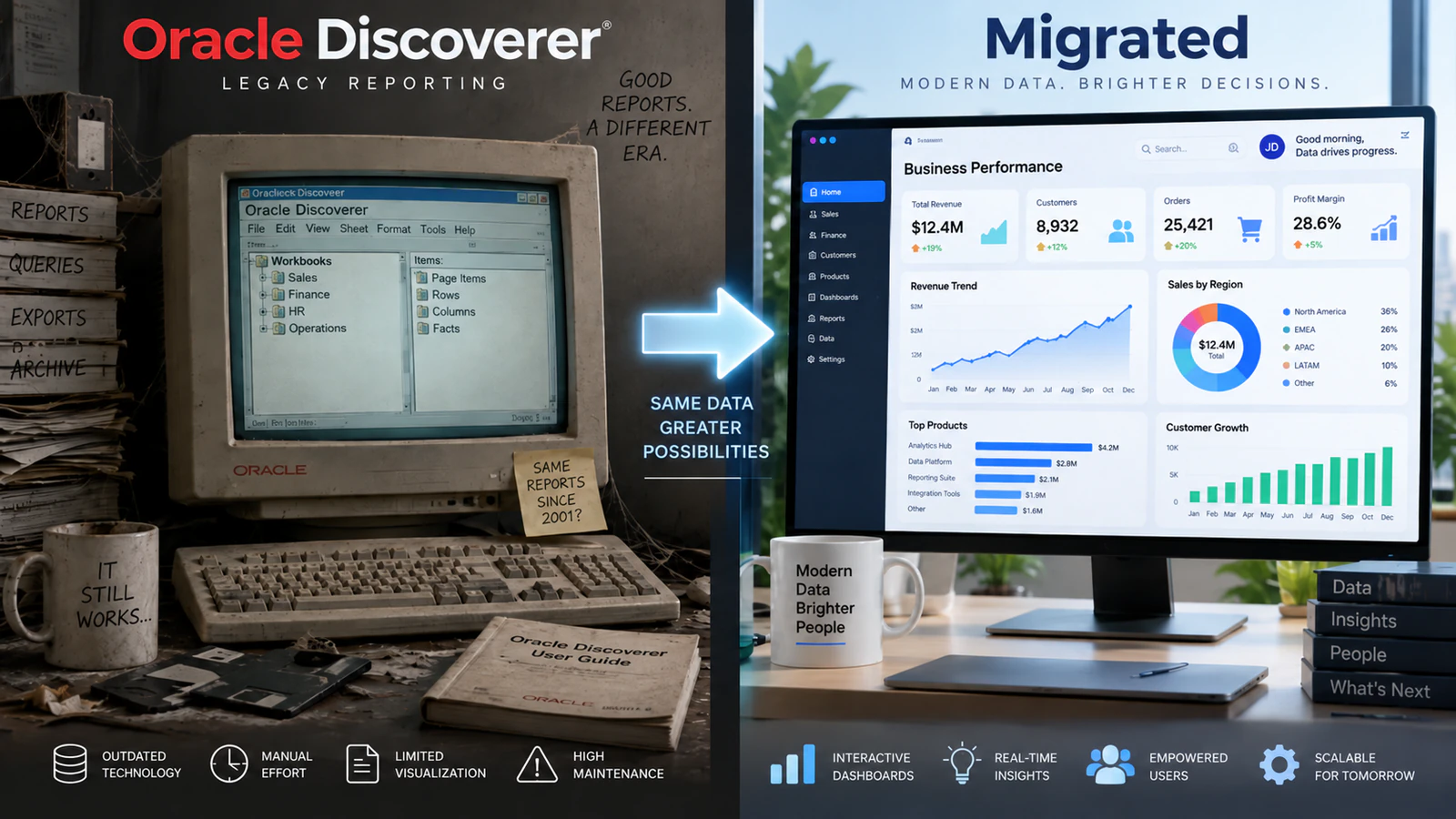
Table of Content
- An Uncomfortable Truth About a Tool That "Still Works Fine"
- What Oracle Discoverer Actually Is, and Why It Matters It's Gone
- Why So Many Companies Are Still Running It Anyway
- Your Three Real Options
- The Hidden Technical Traps in a Discoverer Migration
- The Real Migration Process (300+ Reports, Zero Downtime)
- What This Actually Costs, and Why "Cheap" Migrations Often Cost More Later
- What to Ask a Migration Partner Before You Sign
- A Realistic Example (Based on Our Own Case Study)
- What's Changing Next
- Frequently Asked Questions
- The Bottom Line
An Uncomfortable Truth About a Tool That "Still Works Fine"
Here's a sentence we hear more often than you'd expect from IT Directors at large, well-run enterprises: "Our Oracle Discoverer reports still work fine, so we've never gotten around to replacing it."
That sentence is true, and it's also the exact reason this is dangerous. Oracle Discoverer isn't broken. It's abandoned. Oracle stopped patching it. Oracle stopped securing it. Oracle stopped supporting it, years ago. But because the reports keep quietly running, the urgency to migrate never quite arrives. It takes something to force the issue: a security audit, a browser update that breaks compatibility, or a new compliance requirement Discoverer simply can't meet.
This article is the guide we wish every Discoverer customer had before they started. It's built from a real migration we completed — over 300 reports, zero downtime — not from theory. If you're an Oracle DBA, a BI lead, or an IT Director quietly still running Discoverer, this is exactly what you need to know before you start.
What Oracle Discoverer Actually Is, and Why It Matters It's Gone
For anyone newer to this: Oracle Discoverer was a business intelligence and reporting tool that let non-technical users build their own reports from Oracle databases — things like sales summaries, inventory reports, and financial dashboards — without needing a programmer for every request.
For a long time, it was genuinely popular, especially with companies running Oracle E-Business Suite (EBS). Many organisations built hundreds, sometimes thousands, of reports on it over the years.
Then Oracle moved on. Premier support for Discoverer ended in June 2014. Extended support ended in June 2017. Since then, Oracle has provided no further updates, security patches, or fixes of any kind (source:IT Convergence, Oracle Discoverer Migration – Replacement Options). Oracle had actually been encouraging customers to move away from it since as early as January 2009 (source:Orbit Analytics, Oracle Discoverer End of Life).
In plain terms: if you're still running Discoverer today, you're running software with zero ongoing security protection. This is happening on a browser and operating system landscape that has moved on multiple generations since it was last updated.
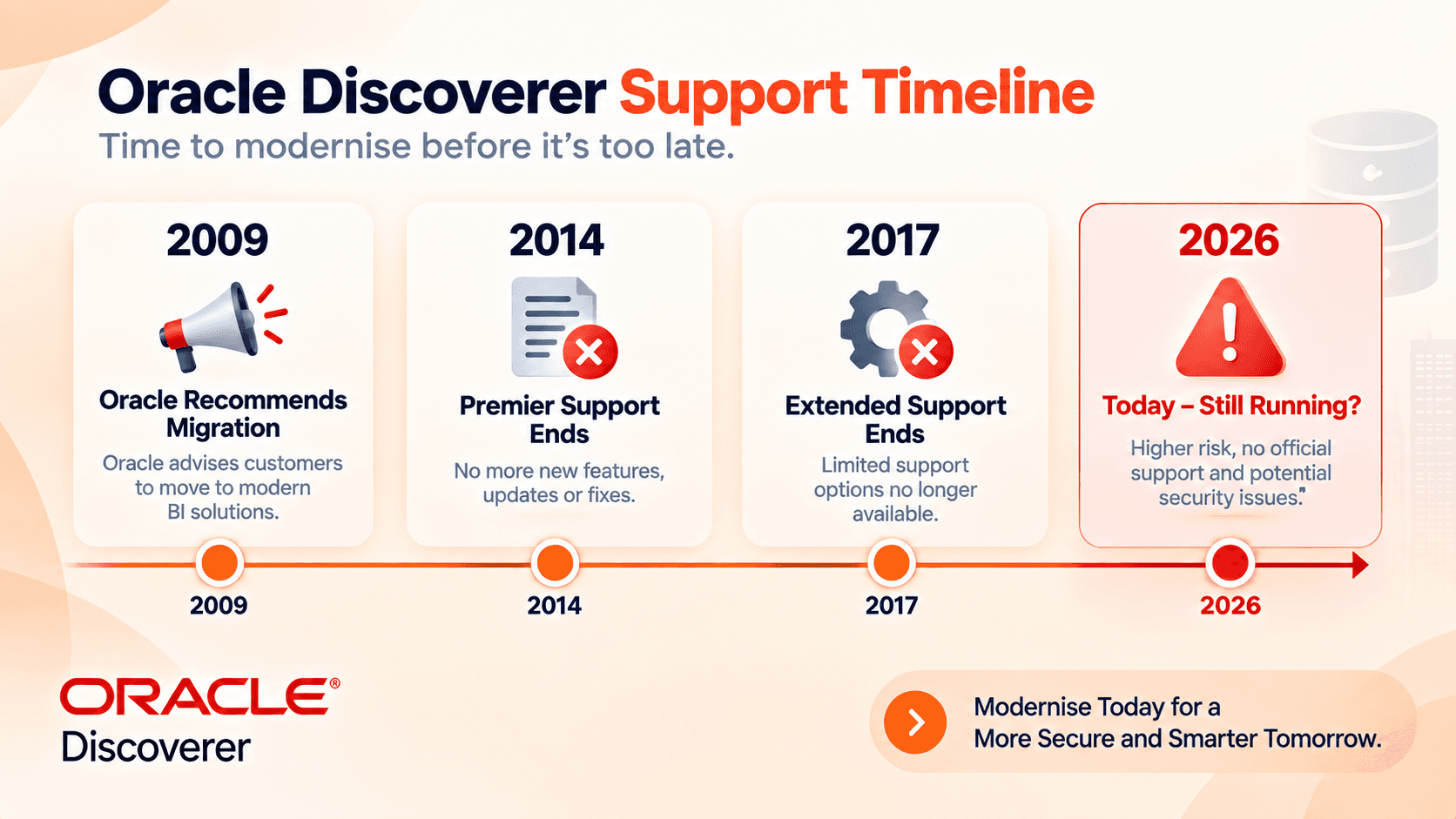 2009: Oracle recommends migration · 2014: premier support ends · 2017: extended support ends · 2026: still running without patches
Why So Many Companies Are Still Running It Anyway
This isn't a story about careless IT teams. It's a story about a genuinely hard trade-off.
Migrating hundreds or thousands of reports is a massive undertaking. Many organisations built deep institutional knowledge around Discoverer's End User Layer (EUL) — a business-friendly naming layer sitting on top of the raw database. Moving away means rebuilding that layer from scratch in a new tool. Faced with that scale of work, and reports that still technically function, many businesses have quietly chosen to "sweat the asset" rather than migrate, year after year.
The problem is that this decision doesn't get safer with time — it gets riskier. Every year without security patches is another year of accumulated exposure. And the pool of staff who still remember how Discoverer actually works keeps shrinking as people retire or move on, making a future migration harder, not easier, the longer it's delayed.
Your Three Real Options
If you're currently on Discoverer, you have three genuine paths forward — no more, no less.
Option 1: Stay on unsupported Discoverer. This isn't really a "solution," but it's worth naming honestly as the default a lot of companies fall into. Zero new security patches. Zero compatibility guarantees with modern browsers or operating systems. Increasing risk, with no offsetting benefit beyond avoiding a migration project.
Option 2: Migrate to OBIEE (Oracle Business Intelligence Enterprise Edition). This is Oracle's own recommended path. It keeps you within the Oracle ecosystem, but it's not simple. OBIEE does not automatically migrate Discoverer's End User Layer or its security permissions — these need to be rebuilt. Implementation is commonly described as complex and expensive, with report conversion alone sometimes requiring as many as eight distinct steps per report (source:insightsoftware, Goodbye Oracle Discoverer, Hello Next-Generation Reporting).
Option 3: Migrate to a modern third-party BI tool — Tableau, Power BI, or similar. This is where most organisations end up landing today, especially those already standardising on Microsoft 365 and Azure. It offers a genuinely modern reporting experience, but it comes with its own real technical challenges, which we'll walk through next — this path is not simply "point Power BI at your Oracle database and go."
The Hidden Technical Traps in a Discoverer Migration
This is the part most migration guides skip, and it's exactly where projects go wrong.
Trap 1: The semantic layer doesn't translate directly. Discoverer, and OBIEE, encode business logic — joins between tables, calculated measures, aggregation rules — inside a structured semantic layer. Power BI's tabular model works differently. Teams that migrate report by report, without first rebuilding this logic properly, commonly end up with inconsistent numbers between the old and new systems. Hierarchies silently break too (source:Multishoring, Oracle BI to Power BI Migration).
Trap 2: Security permissions don't carry over automatically. Discoverer's business area permissions, and OBIEE's RPD-based security model, don't map cleanly onto a new tool's permission structure. A naive, direct copy risks two failure modes at once: exposing data to people who shouldn't see it, or locking out people who need it. In regulated industries like financial services or healthcare, the first of these isn't just embarrassing — it's a genuine compliance failure.
Trap 3: Performance can quietly collapse if you skip this step. Discoverer and OBIEE were built to work efficiently with Oracle databases specifically. They often relied on materialised views and summary tables to keep reports fast. Now connect a new BI tool directly to a live Oracle EBS database, without replicating this groundwork. Reports that used to load in seconds can become painfully slow. This is a problem that often isn't discovered until real users start complaining after go-live.
Trap 4: "Report by report" migration hides the real complexity. It's tempting to treat migration as simply converting one report at a time. But reports share underlying logic, filters, and data relationships. Migrating them in isolation, without mapping these shared dependencies first, is exactly how teams end up with inconsistent numbers across reports that are supposed to agree with each other.
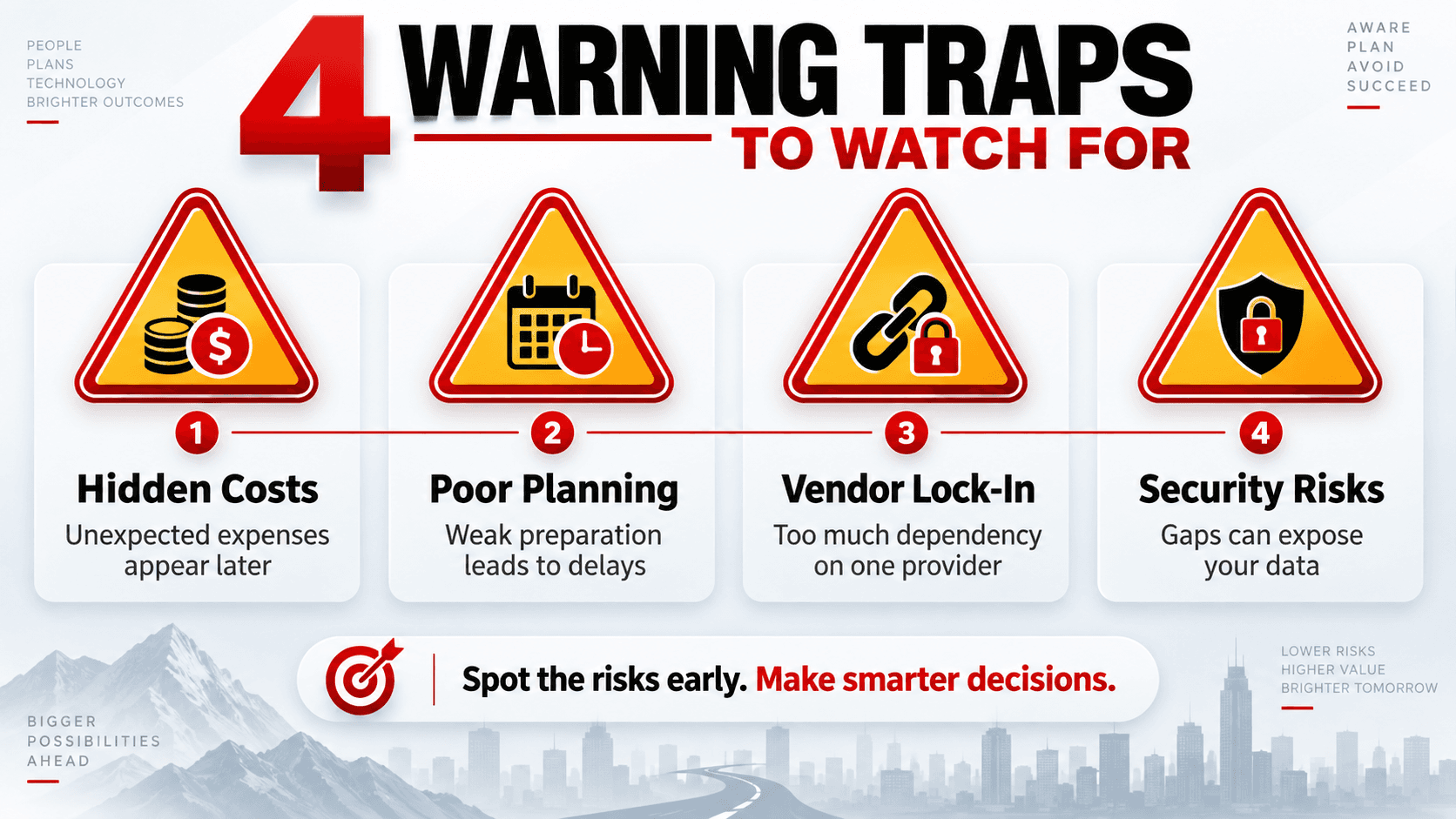 The four traps: semantic layer, security permissions, performance, and report-by-report migration
The Real Migration Process (300+ Reports, Zero Downtime)
Here's the actual approach, based on a real migration our team completed.
Phase 1: Full Inventory and Usage Audit Before touching a single report, we catalogued every existing Discoverer report and workbook — and, critically, checked which ones were actually still being used. In almost every large Discoverer environment, a meaningful share of reports haven't been opened in years. Migrating dead reports wastes real budget on work nobody needs.
Phase 2: Rebuild the Semantic Layer First, Not Report by Report Rather than converting reports one at a time, we rebuilt the underlying data model — the joins, calculated fields, and business logic — as a single, coherent foundation first. Every report built afterward draws from this same, consistent foundation, which is exactly what prevents the "numbers don't match" problem described above.
This phase typically takes the longest of the six, and for good reason. It's tempting to rush it, since it produces no visible reports on its own — just underlying structure. But every hour spent here saves multiple hours of rework later, when reports built on a shaky foundation start producing numbers that don't reconcile with each other.
Phase 3: Rebuild Security Permissions Deliberately, Not by Assumption We mapped Discoverer's business area permissions to the new system's security model explicitly, one group at a time, rather than assuming a like-for-like conversion would work automatically. This step alone is where many rushed migrations create serious compliance exposure.
Phase 4: Performance Engineering Before Go-Live, Not After We replicated the performance groundwork Discoverer relied on — appropriate summary structures and query optimisation — before any user-facing report went live, rather than waiting for complaints to reveal the gap.
Phase 5: Parallel Running for Validation For a defined period, old and new reports ran side by side. Business users compared numbers directly, catching any discrepancies while the original system was still available as a safety net. This is the step that makes zero-downtime migration actually possible, rather than just a marketing phrase.
Phase 6: Phased Cutover by Department Rather than switching every user over on a single day, we moved departments across in planned waves, prioritised by business criticality, so any issues surfaced with a smaller, more manageable group first.
The result: 300+ reports migrated, with zero downtime for the business throughout the entire process.
What This Actually Costs, and Why "Cheap" Migrations Often Cost More Later
Cost is usually the first question an IT Director asks, and it deserves an honest answer.
A migration that skips proper semantic-layer rebuilding and security remapping will almost always look cheaper on the initial quote. This is precisely how many rushed migrations get approved. The real cost shows up later. It appears in the weeks after go-live, when finance teams start noticing numbers that don't match between departments. Or it appears when a security review discovers permissions that were never properly re-verified.
A more useful way to think about cost is in three buckets, not one:
- The migration project itself — the work described in the six phases above.
- The cost of getting it wrong — rework, lost trust in the new system, and in the worst cases, a compliance incident from mismatched security permissions.
- The cost of continuing to delay — accumulating security risk, and a shrinking pool of people who understand the original system well enough to migrate it safely at all.
Organisations that only compare the first bucket across different vendors are comparing the wrong number. A migration partner might seem 20% more expensive upfront. But if they rebuild the semantic layer and security model properly, they're very often cheaper than the alternative — once buckets two and three are counted honestly.
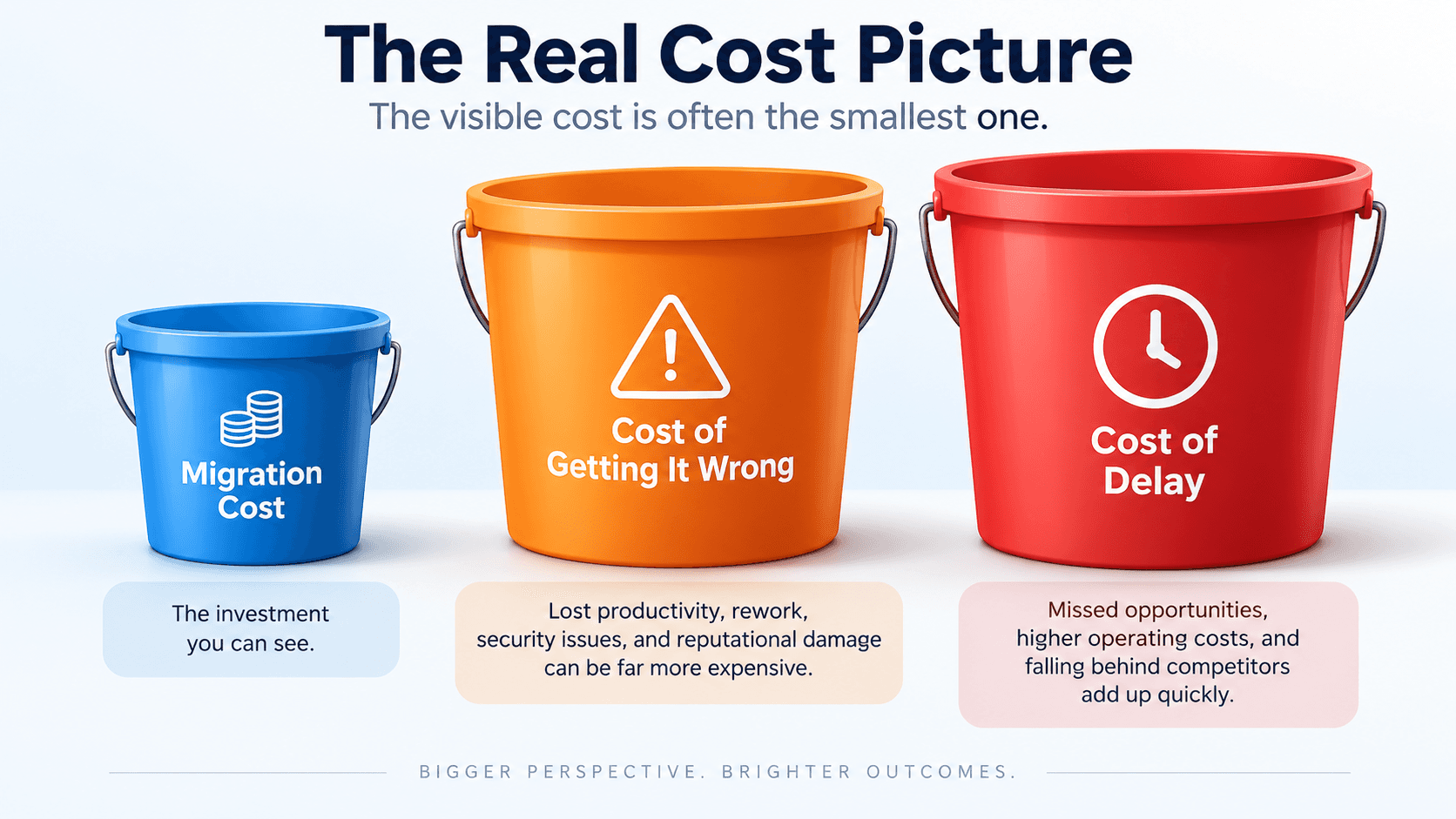 The migration itself is only the first bucket — the cost of getting it wrong and the cost of delay are usually larger
What to Ask a Migration Partner Before You Sign
- "How do you handle the semantic layer — do you rebuild it first, or migrate report by report?" Report-by-report answers are a warning sign.
- "How do you validate that security permissions transferred correctly, not just that they transferred at all?" Ask for their specific verification process.
- "What's your plan for performance, before go-live — not as a reactive fix afterward?"
- "Can you run our old and new systems in parallel during validation?" If not, ask how they plan to catch discrepancies before users do.
- "Can you show me a completed migration of comparable scale?" Ask specifically about report count and what went wrong along the way — every real migration has a story here.
VeeTee's Oracle Database Support teamhas direct experience with exactly this kind of migration — we're glad to walk through our own answers to all five questions above.
A Realistic Example (Based on Our Own Case Study)
A financial services organisation had been running Oracle Discoverer for over a decade, with more than 300 active reports spanning finance, operations, and compliance reporting — some of them feeding decisions made at the executive level every single week.
The organisation had delayed migration for years, partly because of the sheer scale involved, and partly because the reports, despite the lack of support, kept technically working. The trigger to finally act was a security review that flagged the unsupported software as a real, documented risk — not a hypothetical one.
Working through the phased approach above, the full migration — including semantic layer rebuild, security remapping, and performance validation — was completed with zero downtime for business users throughout. Reports that had taken meaningful time to load under the old Discoverer/database combination ran roughly 5 times faster once properly optimised in the new environment. No department lost access to a single report during the transition. The phased, parallel-running approach meant the old system remained available as a safety net, until each group had confirmed the new reports matched.
What's Changing Next
This window of "unclaimed expert territory" won't stay open forever. Very few vendors have published genuinely detailed, technical guidance on Discoverer migration specifically — most content assumes you'll simply hire OBIEE consultants. As more Discoverer holdouts finally act, expect more competition for migration expertise, and rising costs for organisations that wait even longer.
Security scrutiny of legacy systems is increasing, not decreasing. Enterprises face more frequent security reviews and compliance audits. Unsupported software like Discoverer is increasingly likely to be flagged as an active finding, not a note for "future consideration." This accelerates the timeline for organisations that have been putting this off.
AI-assisted migration tooling is starting to help with the tedious parts. Early tools can now assist with cataloguing existing reports and flagging likely semantic-layer mappings. But the judgment calls around security and business logic still require experienced human oversight. This is likely to speed up Phase 1 and parts of Phase 2 over the next few years. It won't replace the careful validation work in Phases 3 through 6.
Frequently Asked Questions
Both — it's outdated in terms of features, but the real danger is the complete absence of security patches since 2017, which means any newly discovered vulnerability will never be fixed.
It depends heavily on report count and complexity, but a migration in the hundreds-of-reports range, done properly with the phased approach described here, commonly takes several months from initial audit to full cutover.
No — OBIEE is one valid path, but many organisations, especially those already using Microsoft tools elsewhere, choose Power BI or Tableau instead, provided the migration handles the semantic layer and security properly.
Yes, in almost all cases — the functionality can be replicated in a modern tool, but only if the underlying business logic is rebuilt deliberately rather than assumed to transfer automatically.
Migrating report by report, without first rebuilding the semantic layer as a shared foundation. This is what causes numbers to mismatch between old and new systems. That mismatch then erodes user trust in the new tool.
It's achievable with a genuine parallel-running validation phase and a phased, department-by-department cutover — the old system stays available as a safety net until each group has confirmed the new one is correct.
The Bottom Line
Oracle Discoverer being "still technically working" is the trap, not the reassurance it feels like. Every year of delay adds security risk. It also shrinks the pool of people who remember how it actually works. Meanwhile, a properly planned migration, done in the right order, can move hundreds of reports without a single day of business disruption.
Talk to the team that's already done this migration — get a free environment assessment.Schedule a consultationor exploreVeeTee's Oracle Database Support servicesin detail. Visitveeteetechnologies.comto see our full range of services.
Related Reading on the VeeTee Blog
External Sources Referenced in This Article
- IT Convergence —Oracle Discoverer Migration – Replacement Options to Consider
- Orbit Analytics —Oracle Discoverer End of Life: Are You Still Using Decades-Old Reporting?
- insightsoftware —Goodbye Oracle Discoverer, Hello Next-Generation Reporting
- Multishoring —Oracle BI (OBIEE & Discoverer) to Power BI Migration
This case study describes a real migration project with details generalised to protect client confidentiality. Technical specifics reflect publicly available Oracle support timelines as of September 2026 — confirm current Oracle support status directly with Oracle for your specific environment.
Get in Touch
Contact Us
+91 9500945700
adm@vttech.in
No: 8/65, 1st Floor, Radhakrishnan Street, Shankaran Avenue, Velachery, Chennai, Tamil Nadu – 600042, India.
We’re here to help you !